 3D Model Builder
A dive into the macOS app I designed and built.
I've worked with 3D models before, but even with that experience, moving from an idea to a usable 3D asset often took time especially with iterations, the workflows were slow, technical, and disconnected from the way I normally think as a product designer. I wanted to explore what it would feel like to design a tool that made 3D creation feel more immediate, flexible, and accessible without sacrificing usefulness. That goal led to me designing and building a macOS app that allows users to generate 3D models from something as simple as a photo or a text prompt, then interact with and export those models for real use. It was especially exciting to establish a new workflow where I designed the UX and UI first, then used Claude and Cursor to build the app and integrate the Meshy API. That design-to-code process felt fast and intuitive, and it reinforced how thoughtful product design paired with modern AI tooling can meaningfully reshape creative workflows.
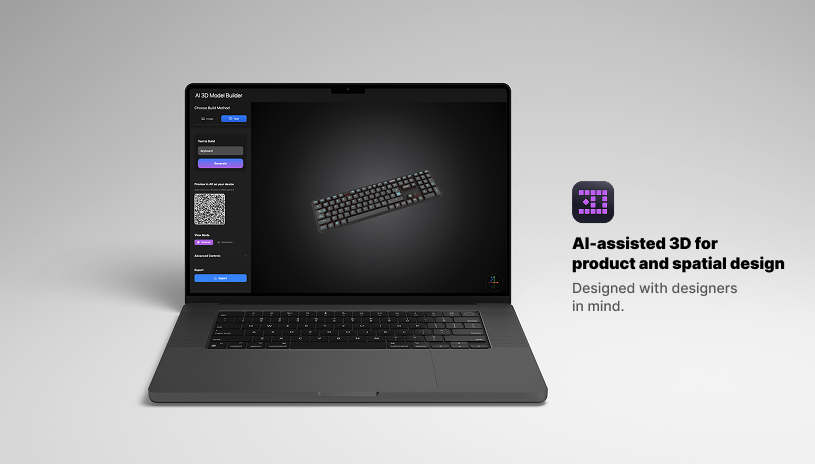
Text and Photo Inputs
Even with 3D experience, getting started often requires a lot of setup and production takes time. This could slow down iteration and exploration. So I designed the app to start from two things users already have, an existing photo or a short text prompt. By simplifying how users use 3D assets, the experience shifts focus away from setup and toward exploration. It supports faster iteration and better aligns with how product designers naturally think through ideas before committing to detail.
MacOS to iOS AR Handoff for Spacial Design
As I worked through the design process, one limitation became clear: while users could generate and explore 3D models on macOS, there was no way to see and understand how those models would feel in the real world. Viewing a model on a screen made it difficult to judge scale, proportion, especially for objects meant to exist in physical space. Examples would be 3D models used in apps such as Wayfair and Living Spaces. I saw it as a design opportunity.
I wanted to give users a way to use their models in AR without having to install another app or leave the flow entirely. That led me to design a macOS to iOS AR handoff that allows users to instantly preview their generated models in real-world space.
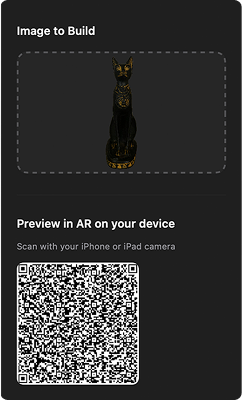
Once a 3D model is generated, the app automatically creates a USDZ preview link and encodes it into a QR code. This removes all manual export steps and gives users an immediate path to trying their model in AR.
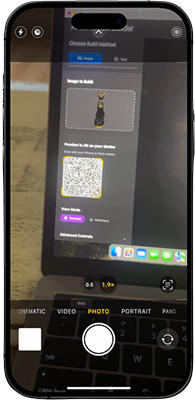
Scanning the QR code on an iPhone or iPad launches Apple's AR Quick Look. This enables users to move from desktop creation to mobile AR without installing additional software.
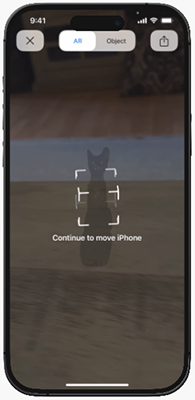
After the model loads, AR Quick Look detects a surface and anchors the object. Users can begin to understand scale, proportion, and orientation as the model appears in their environment.
In AR, the model becomes a spatial object. Users can walk around it, rotate it, and inspect details under real-world lighting. This step fulfills my design goal: enabling real-world validation of AI-generated 3D content without requiring a dedicated AR app.
OBJ, GLB, USDZ, and FBX Export Options
As I built this, I focused on making export feel straightforward and flexible. Supporting common formats users can use to take their model and move it directly into AR, the web, or animation tools. USDZ (Apple AR), GLB (Web/VR), OBJ (universal), and FBX (animation).